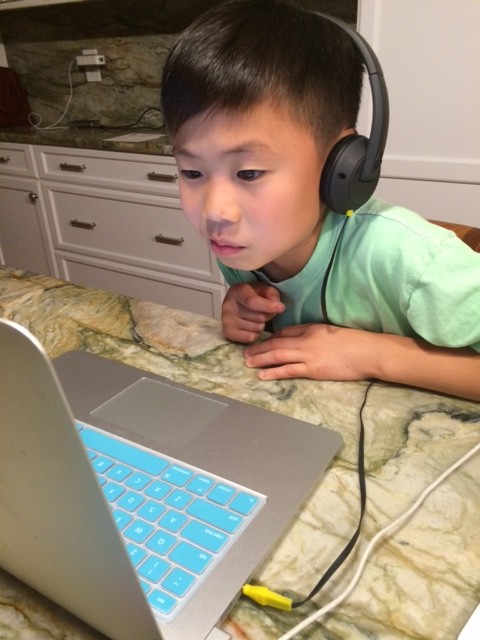
Most parents would agree that technology only made their job harder. Apart from navigating and protecting your child through the “real” world, now you need to do the same on the internet. It’s a difficult task, especially since many parents aren’t tech-savvy.
The good news is there are simple things you can do to improve your kid’s safety on the web. But before we start, remember that protecting your children online is an ongoing task. You’ll need to keep monitoring their activity to stay on top of potential problems. Now, here is a detailed guide on what you should do to maximize kids’ online safety!
Your Approach Should Adjust with Age
According to experts, children under the age of two shouldn’t have any screen exposure. It’s up to the parent to consider how much online time they’d allow their kid when they get older. However, the general rule is that the virtual world shouldn’t affect the time for physical activity, sleep, and other health-relevant behaviors.
Here are some tips on adjusting your approach based on the kid’s age:
- Age two to five. Children should only use their parents’ laptops, smartphones, and other devices. It allows easier control, but make sure you are around when your kid goes online.
- Age six to eleven. You can consider getting a personal computer or smartphone for your kid. However, adjust the necessary settings to help filter internet content. Activating SafeSearch on Google, using the YouTube Kids app, and installing antiviruses is a good start.
- Age twelve and up. Your child is ready to become a teen and is getting harder to control. Try to offer fun alternatives to internet time, and explain why it’s important to limit screen hours. Express genuine interest in their online activity, especially on social media, to establish trust and encourage them to share if they encounter potential problems.
Regardless of the child’s age, you should consider using kids phone monitoring apps for parents. These are all-around tracking tools that will monitor your child’s smartphone activity. You can check social media, messaging apps, browsing history, etc. Parental control apps also allow web filtering and even screen time restrictions.
Install Antiviruses and Firewalls
Your first task is protecting the computer or smartphone used by your child to browse the web. Installing a reliable antivirus is essential to keep your device safe. You can add a firewall as another defense layer if you feel it’s necessary. It’s even possible to get a VPN to boost your kid’s anonymity and privacy when surfing the web.
But antivirus is the minimum to reduce the risk of your child’s carefree behavior compromising the device. A kid might receive an email or message on social media with a suspicious link. They could click on it and install the malware in a few steps. Antiviruses might prevent these installations or help remove malicious files.
In some setups, parents also consider using hardware-based security tools, such as advanced firewalls or unified threat management devices, which offer more comprehensive protection and are harder to bypass than software solutions alone.
Maximize Social Media Privacy
The easy part is adjusting the settings. If your kid has a Facebook profile, it needs to be private. Only friends should be able to see photos and other updates. Children should also lock their Instagram profiles and ensure only friends can view stories, locations, etc. Regardless of social media, you’ll find visibility and account accessibility options in main settings.
Now, the tough part is explaining how to behave on social networks to your kid. It’s critical they don’t accept strangers as friends. Talk to your child and explain profiles could be fake. If anything looks suspicious, encourage them to ask for your consultation before accepting the request.
Kids should also avoid communicating with strangers. They might receive a message on WhatsApp or Viber from an unknown number. If there’s anything weird, the child should know the importance of sharing that info with you immediately.
Don’t Forget Gaming Consoles and Services
is among the top internet activities for children. If you bought the child a gaming console, take some time to familiarize yourself with safety features. Xbox One has an entire area of system settings dedicated to family-friendly options. PlayStation 5 allows account creation for each family member. Most other consoles and gaming services also have kid-friendly settings.
Final Thoughts
Protecting your kids online is an ongoing journey. From a technical point of view, you should adjust safety settings on browsers, services, and devices your children use. If you feel it’s necessary, a parental control app can be a useful asset in keeping your kid safe online.
But your priority should be talking with your child frequently. Discuss how they spend time in the virtual world and sit beside them if necessary. And avoid criticizing since you want to establish trust. That’s how you’ll know the child will be free to talk to you if they feel they found themselves in an uncomfortable online situation.
p.s. Related posts:
Web Safety Advice from Dr. Michele Borba
How to help your kids stay safe online
LifeLock: Online Safety for Kids
6 Ways to Protect Your Child From Online Grooming
To examine any book more closely at Amazon, please click on image of book.
As an Amazon Associate, I earn from qualifying purchases.
Follow PragmaticMom’s board Multicultural Books for Kids on Pinterest.
Follow PragmaticMom’s board Children’s Book Activities on Pinterest.
My books:

 Amazon / Signed or Inscribed by Me
The Traveling Taco:
- Reading Rockets’ Summer Reading Guide 2025

Amazon / Signed or Inscribed by Me

Amazon / Signed or Inscribed by Me
We Sing from the Heart: How the Slants® Took Their Fight for Free Speech to the Supreme Court
- ALSC Notable Children’s Book
- 2025 Carter G. Woodson Book Award Middle Level Honoree
- Orbis Pictus Recommended Book for Outstanding Nonfiction for Children
- California Eureka Non-Fiction Award Honor Book
- Notable Social Studies Trade Books for Young People Winner (from National Council for the Social Studies and Children’s Book Council)
- Bank Street Best Children’s Books of the Year 2025
- Junior Library Guild Gold Selection
 Amazon / Signed or Inscribed by Me
 Amazon / Barefoot Books / Signed or Inscribed by Me
Food for the Future: Sustainable Farms Around the World
- ⭐ Starred review from School Library Journal!
- Junior Library Guild Gold selection
- Massachusetts Book Award Long List
- dPICTUS 100 Outstanding Picture Books of 2023
- Chicago Library’s Best of the Best
- 2023 INDIES Book of the Year Awards Finalist
- Green Earth Book Award Long List
- Nautilus Silver Winner, Nonfiction Children’s Picture Book
- Sunshine State Young Readers Award Orange Blossom List for Nonfiction
- Imagination Soup’s 35 Best Nonfiction Books of 2023 for Kids

Amazon / Signed or Inscribed by Me
Bank Street College’s The Best Children’s Books of the Year
 Amazon / Signed or Inscribed by Me

Amazon / Signed or Inscribed by Me